The private operating system for your life.
Meetings, tasks, projects, goals, journal, CRM — one native Mac app that captures your day automatically and keeps your data on your machine. No cloud lock-in. No subscription. Just yours.
Free forever · Every Pro feature for your first 14 days · No credit card · Mac only
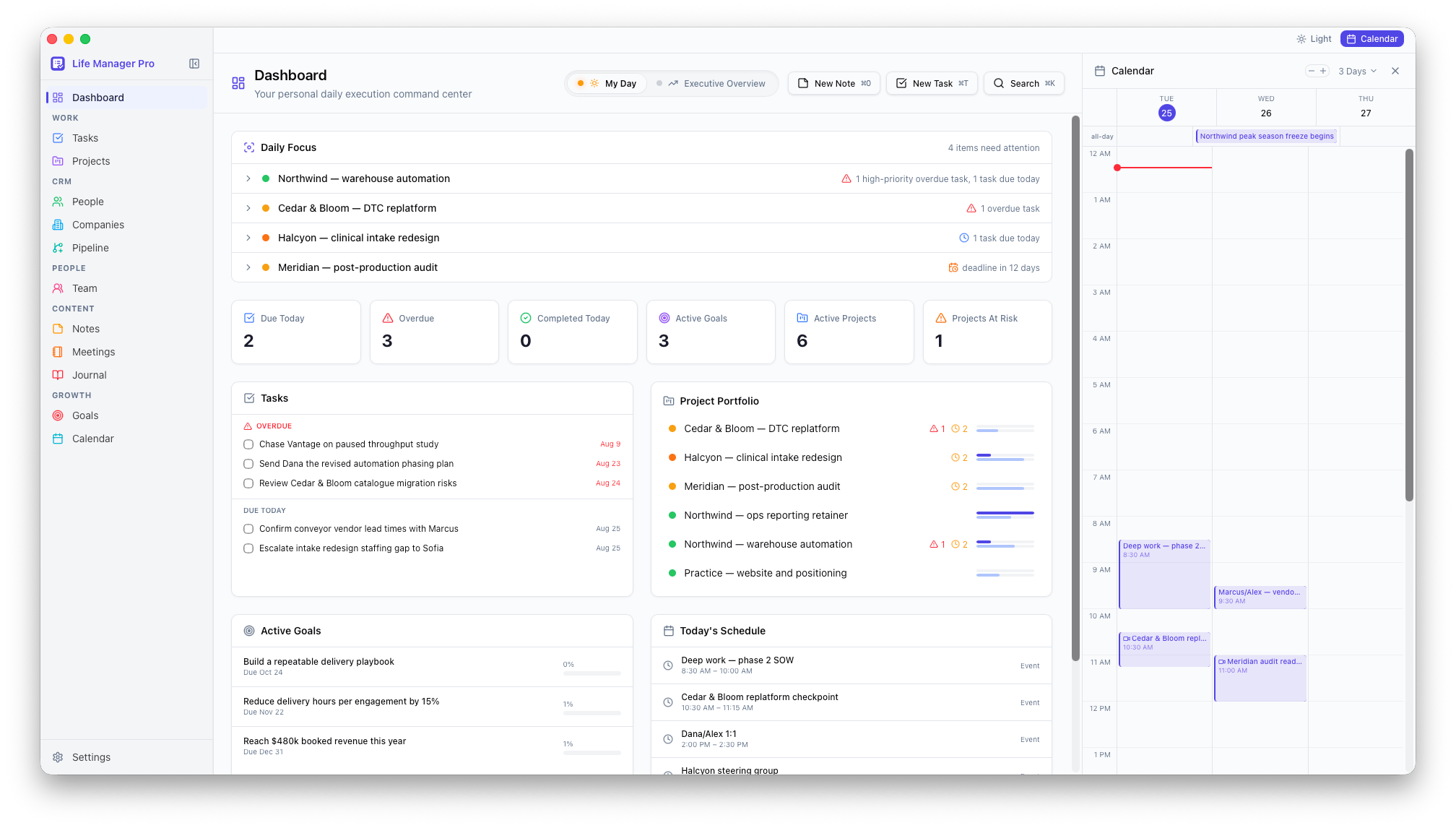
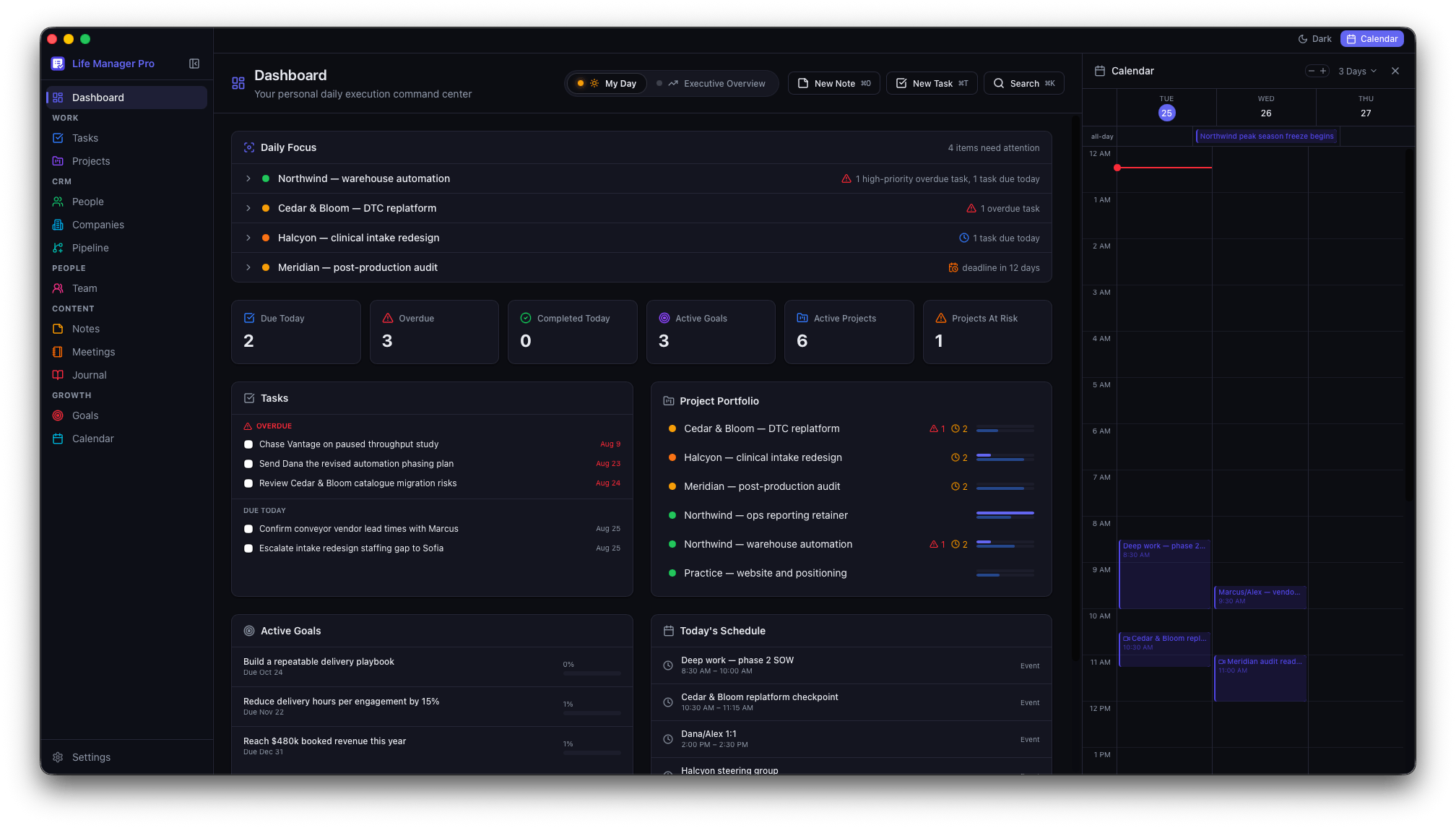
Walk into the meeting already briefed.
Two minutes before a call, you're usually doing the same scramble: who is this again, what did we agree last time, what did I promise them. Life Manager Pro already knows — it's the same database holding your contacts, your deals, your notes, and your tasks. Now it hands you the answer.
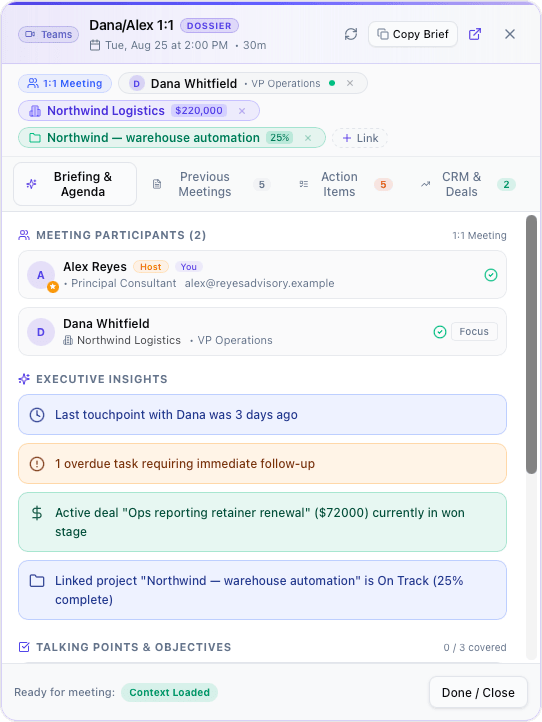
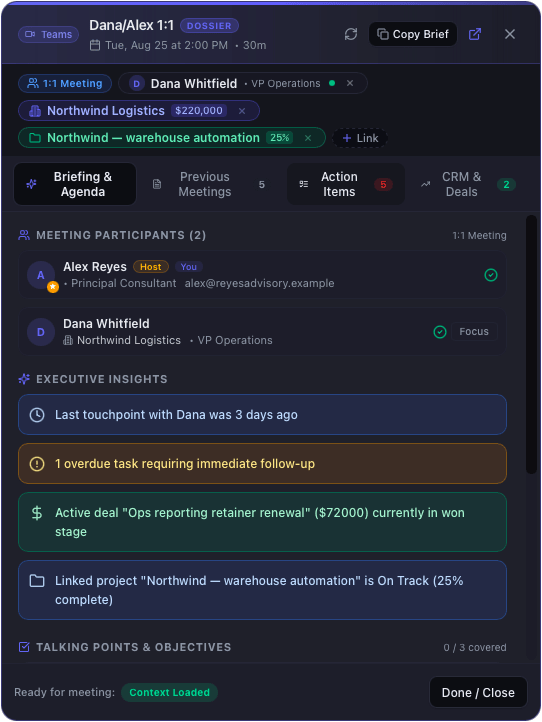
Open any calendar event and a floating dossier assembles itself: the attendees and their companies, the deals in flight, what was decided the last three times you spoke, and the commitments still open on both sides. It reads the meeting title too — a "Dana/Alex 1:1" resolves to the one person it's actually with, then follows that contact out to their company and its live projects.
Who you're talking to
Every attendee, matched to your CRM — their company, their role, the deals open against them. Guests you don't have yet get an "Add to CRM" button.
What you decided last time
Decisions and notes from previous meetings with these people, pulled forward automatically. No scrolling back through a month of transcripts.
What's still outstanding
Open action items ranked by how they relate to this meeting and how soon they're due — each tagged with why it surfaced. Tick them off during the call.
Open in under a second
Cmd+Option+D, the menu bar, the command palette, or right-click any event in your calendar. It floats above whatever you're already in.
Other tools brief you before a call too — from their cloud, reading a CRM you subscribe to separately. This one assembles it on your Mac, from the CRM it already ships with. How the dossier works →
And walk out with it already written.
The dossier gets you into the call prepared. The recorder gets you out of it with the notes taken and the follow-ups filed. Every Zoom, Teams, Meet, and Webex call captured, transcribed, and turned into action — automatically, on your Mac, without ever touching the cloud.
Most "AI meeting" tools want a seat at your table: a bot joins the call, the audio uploads, your conversation lives on someone else's server. Life Manager Pro doesn't. It listens locally, transcribes locally with Whisper, and only calls out to Claude or OpenAI for the final summary — and only if you let it.
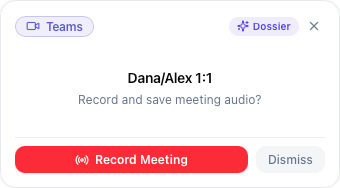
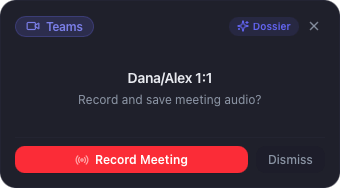
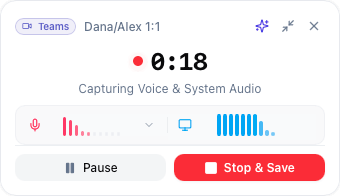
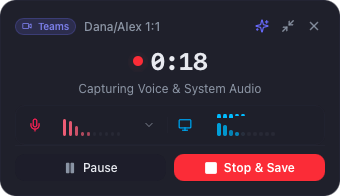
Detects and records calls in Zoom, Microsoft Teams, Webex, and Google Meet. Rebuilt in 1.1 — follows your light or dark theme, and collapses to a compact pill that stays out of the way of the call.
Detect
Open a Zoom, Teams, or Webex call. The floating recorder appears, ready to capture.
Capture
Dual-track recording: your mic and the system audio, separated. So the transcript knows who said what.
Transcribe locally
Whisper runs on your Mac. No upload, no API call, no transcript ever leaves your machine.
Extract & link
Claude or OpenAI pulls out decisions, action items, and follow-ups — then files them as tasks linked back to the meeting.
Walk out of the call with notes already written, tasks already on your list, and a searchable archive of what was actually said. No competitor in personal productivity does this end-to-end. We checked.
A complete operating system, not a feature list.
Most productivity apps pick one thing and do it well. Daytactic gives you the whole surface — every domain of your life, woven together, one place to look.
Two dashboards, two altitudes
My Day for the next eight hours. Executive Overview for pipeline value, goal velocity, stalled projects, and what needs escalating this quarter.
Calendar that talks to your Mac
Two-way EventKit sync with per-calendar rules — your real calendar stays your real calendar.
Invites that parse themselves
Teams, Zoom, Meet, and Webex invites become a clean card — meeting ID and passcode one click away, the organizer's actual notes separated from the boilerplate.
See your data your way
Table, kanban, or gantt — switch on the fly with 21+ filter operators and saved views per project.
Views you build once
Copy filters, sorting, conditional formatting, and columns from one saved view to another. New records inherit the filter you created them from, so they don't vanish on save.
Capture from anywhere
Cmd+Shift+Space drops a quick-add panel into any app. Cmd+K opens the command palette. Thought to task in two seconds.
A real CRM, not a contact list
People, companies, and a kanban deal pipeline — for the side hustle, the job hunt, the network.
Goals, OKRs, and habits in one
Annual objectives, quarterly milestones, daily habits — finally in the same place they're actually tracked.
Notes that block-edit like 2026
Tiptap-powered block editor: slash commands, embeds, links to any task or person in your system.
A journal that knows you
Daily entries with mood and energy tracking — so you can see the patterns, not just remember the days.
Custom fields on everything
Nine entity types, unlimited custom fields. Make it match how you actually work.
Search that actually finds it
FTS5 with BM25 ranking across notes, tasks, meetings, people — instant, on-device.
Your assistant can drive it
A built-in MCP server exposes 39 tools over your tasks, projects, CRM and meetings — read and write, running locally. One click to connect Claude Desktop.
Customizable down to the pixel.
A premium Mac app should feel like your Mac app. Daytactic gives you four levers most productivity software won't.
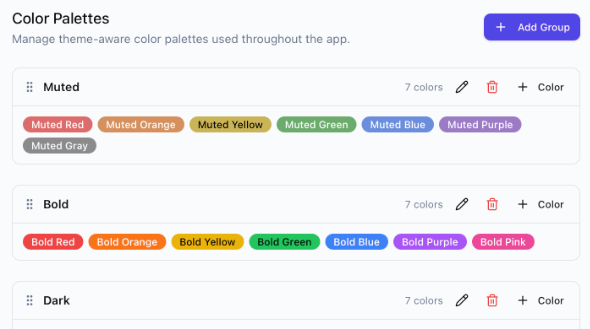
Color palettes with auto dark variants
Pick a base palette; we generate the dark-mode counterpart automatically. Custom themes look right at 9 a.m. and at midnight.
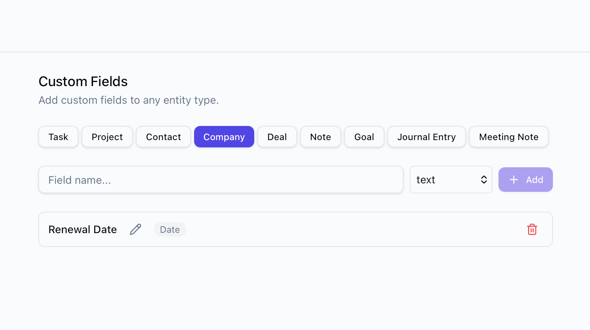
Custom fields on any entity
Add a "Client Code" to tasks, a "Renewal Date" to companies, a "Reading Time" to notes. Nine entity types, unlimited fields.
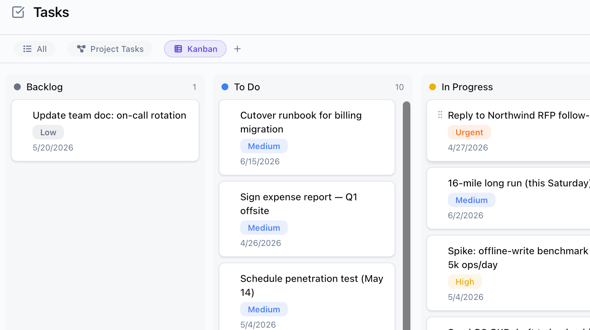
Saved views per project
Build a kanban filtered to "this sprint, blocked, mine," save it, share it across the project. Saved as a tab.
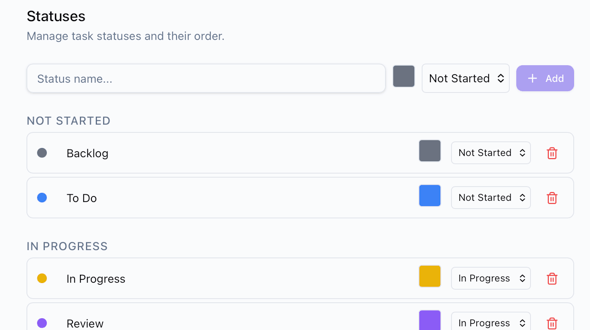
Statuses you actually use
Replace "To Do / Doing / Done" with the workflow your brain runs on. Color-coded, reorderable, used everywhere.
Built for both shifts.
Pixel-perfect in light. Genuinely beautiful in dark. The palette engine generates both from one source of truth, so custom themes look right at 9 a.m. and at midnight.
Free to use. Pay once for Pro.
Daytactic is free, with no time limit. The Pro license unlocks everything — no subscription, no renewal fees, and every 1.x update included.
Launch price — Pro license $39 (regularly $59) through December 31, 2026.
Free
Free forever · first 14 days include everything in Pro
- Tasks, notes, journal, calendar, and 3 active projects
- Up to 25 contacts, plus companies
- 3 meeting recordings a month, with transcripts
- Built-in views for every list
- Your data stays on your Mac — full export, always
- No credit card, no time limit
Pro license
Up to 2 of your Macs
Launch price — $59 after Dec 31, 2026
Everything in Free, plus:
- Unlimited contacts, projects, and recordings
- AI meeting summaries, decisions, and action items
- Pipeline, Team 1:1s, and the pre-meeting dossier
- Goals and custom record types
- Custom and Kanban views
- MCP server for Claude and other AI assistants
- All 1.x updates included
The honest answers.
Is it really free?
What happens after the first 14 days?
Is this a subscription?
Do I have to pay for updates?
Can I install on multiple Macs?
Start free. Upgrade when it earns it.
Your first 14 days include every Pro feature — no credit card. After that, keep using it free for as long as you like, or unlock everything for good with a $39 one-time Pro license for 2 Macs (launch price through December 31, 2026).